CRM and Prospecting
CRM and Prospecting use the same accounts. Every account is in CRM. Accounts marked as prospects also appear in Prospecting. There is no second customer record.
Explore CRM →Technonerds is modular software for UK small to medium businesses. Subscribe to the parts you need for customers, sales, incidents, leave, time and billing. Those parts can share the same records when you use them together.
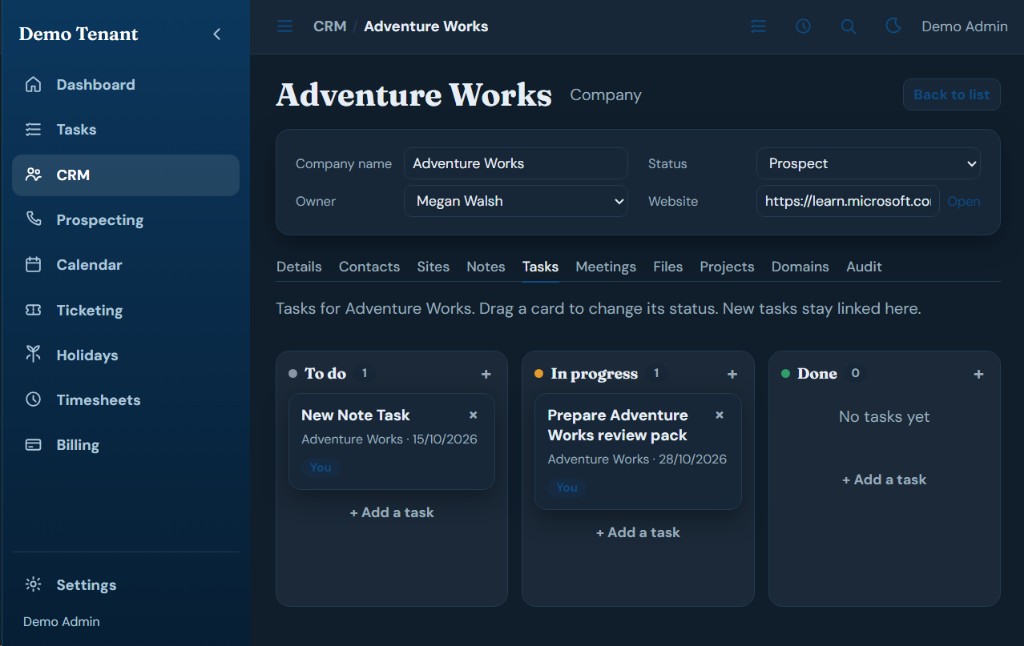
A customer account in CRM, with tasks on the record.
Subscribe to one module, or to several. You do not have to take the whole platform on day one.
Customers, incidents, leave, time and billing can use the same records when those modules are switched on.
The modules cover the work a small team already does: accounts, sales conversations, incidents, holidays, hours and charges.
Add a module when the work needs it. The records you already keep stay where they are.
Take the ones that match the work you do. The others can wait.
Each module works as its own subscription. These are the links that exist when more than one module is enabled. A project grouping is a name for related work, not a project plan.
CRM and Prospecting use the same accounts. Every account is in CRM. Accounts marked as prospects also appear in Prospecting. There is no second customer record.
Explore CRM →An incident can be linked to a CRM account, and to a project grouping on that account. Helpdesk also works without that link.
Explore Helpdesk →A time entry can be linked to a CRM account, a project grouping or a Helpdesk incident. Marking hours billable does not create a billing charge.
Explore Timesheets →A billing profile can use the same CRM account. Invoicing stays in Billing. Timesheets does not send hours across as charges.
Explore Billing →The Holidays Gantt shows who is away. When CRM is also enabled, leave can appear on the shared Calendar as well.
Explore Holidays →Technonerds is for UK small to medium businesses where the same people look after customers, support, leave and the money.
You choose the modules and can register online. There is no fixed length of time to get started, and no promised business result.
You can do this yourself. Explore what each module does, check the subscription, register, and then work in the modules you chose.
Read what CRM, Prospecting, Helpdesk, Holidays, Timesheets and Billing do today.
Explore modules →Each module is its own subscription. The pricing page lists the current figures when they are available.
Review pricing →Create your organisation and subscribe to the modules you need.
Get Started →After you register, you work in the software with the modules you subscribed to.
Open the software →Register and subscribe yourself, look through the modules, or ask for a demonstration.